Integrations
Menu for registering integrations of Google Forms and Ligo Boteria.
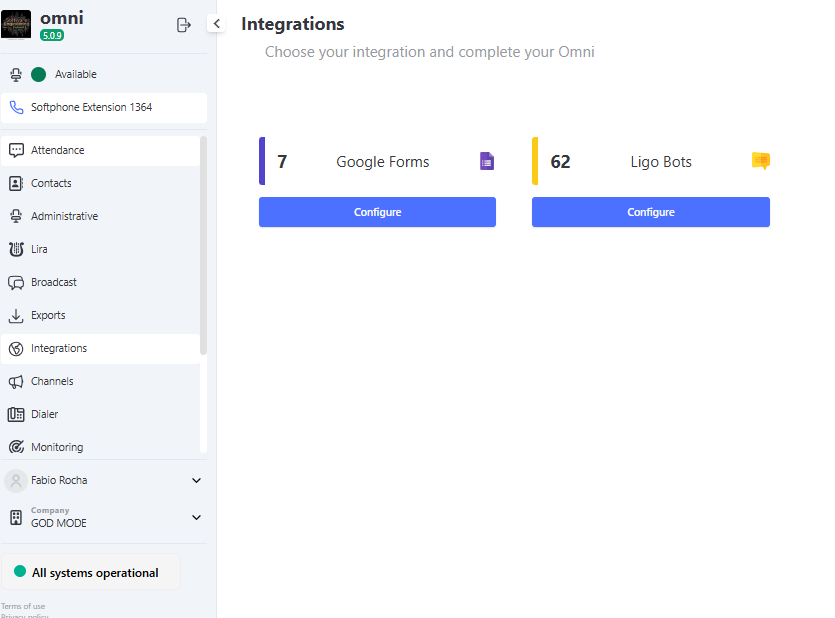
Google Forms
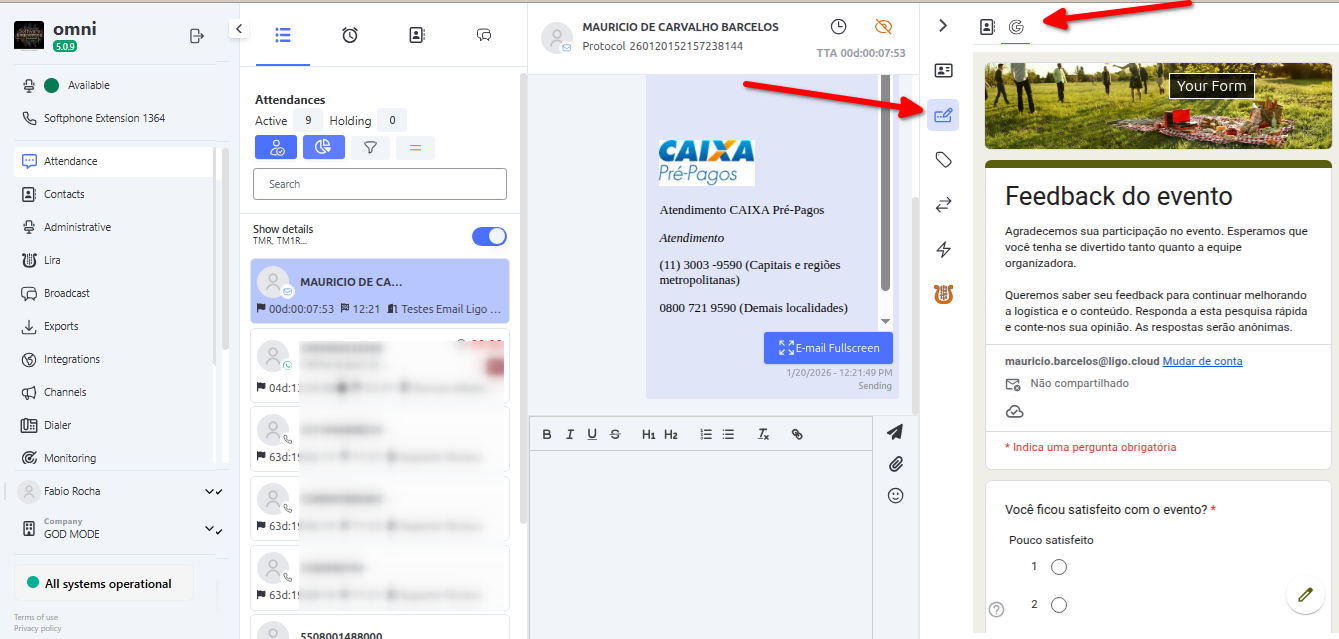
The integration with Google Forms allows displaying customized forms during the attendances of a specific service.
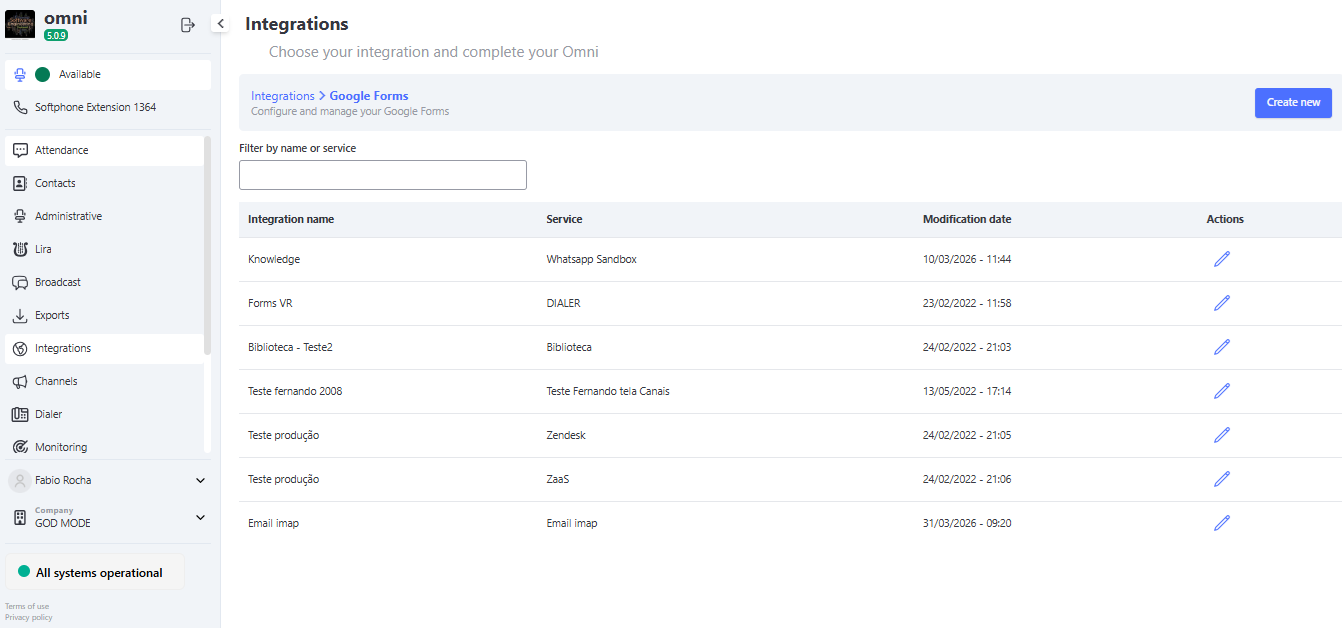
How to Register
- Click the "Create new" button in the Google Forms section.
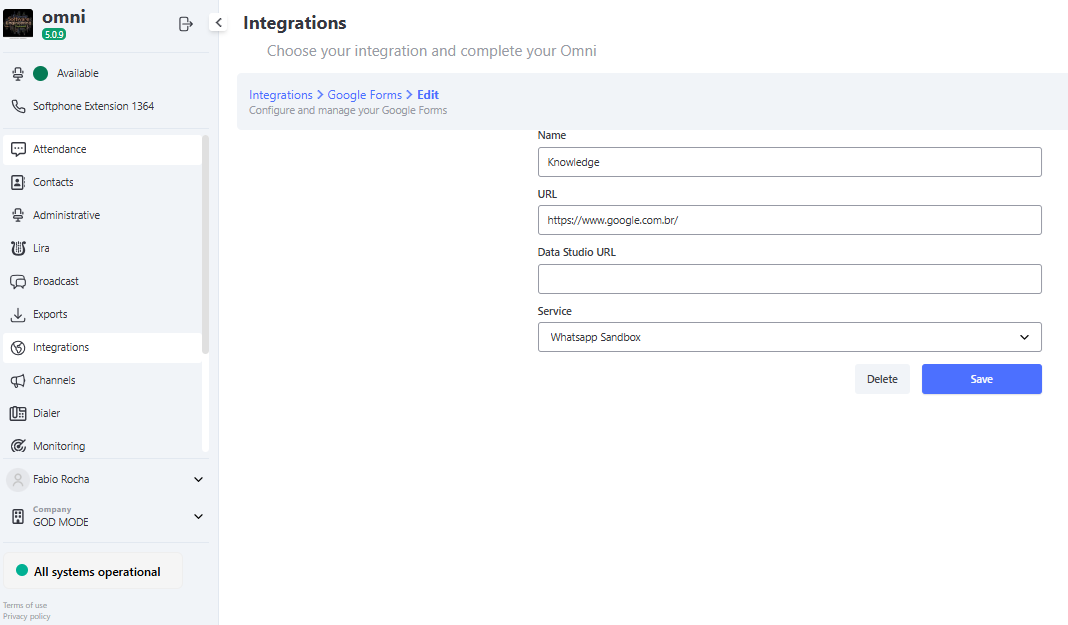
- Fill in the required fields:
- Name: Identifier name of the integration
- URL: URL of the Google Forms form that will be displayed
- URL Data Studio: (Optional) Data Studio URL for data analysis
- Service: Select the service where the Google Forms will be displayed
After registration, the attendances of the selected service will automatically display the registered Google Forms.
Ligo Bots
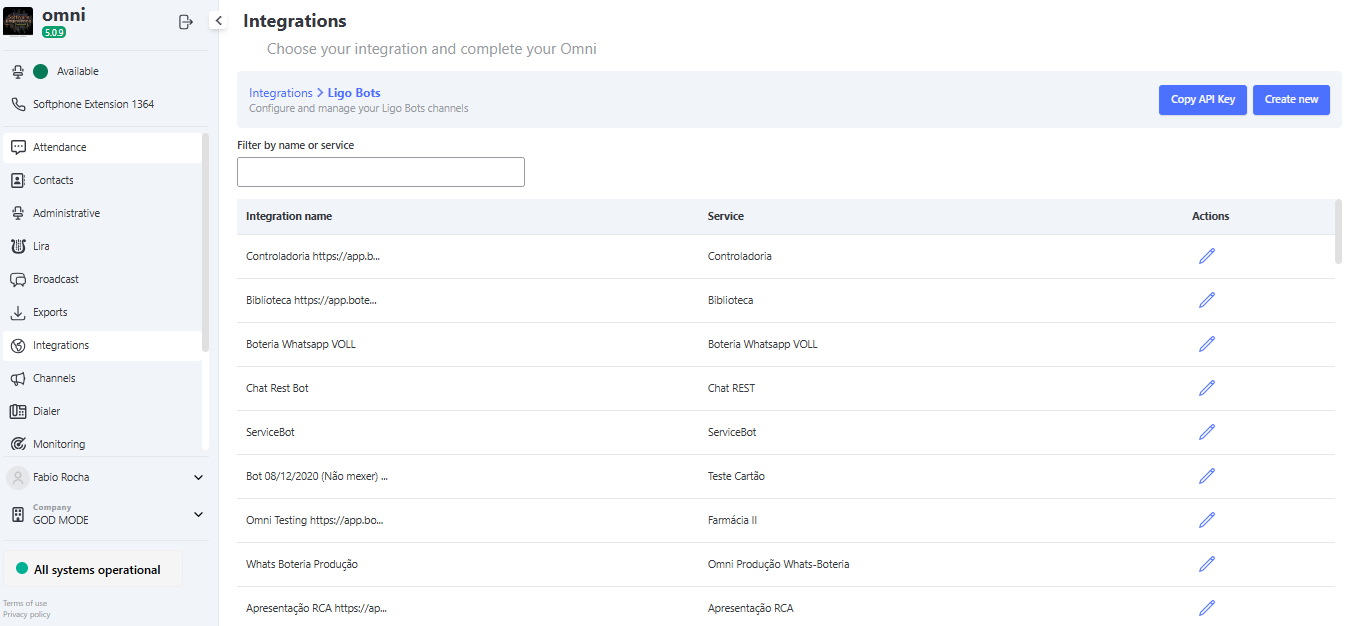
The integration with Ligo Bots allows connecting your bottery to Omni, automatically distributing the attendances that require human interaction.
How to Register
- Click the "Create new" button in the Ligo Bots section.
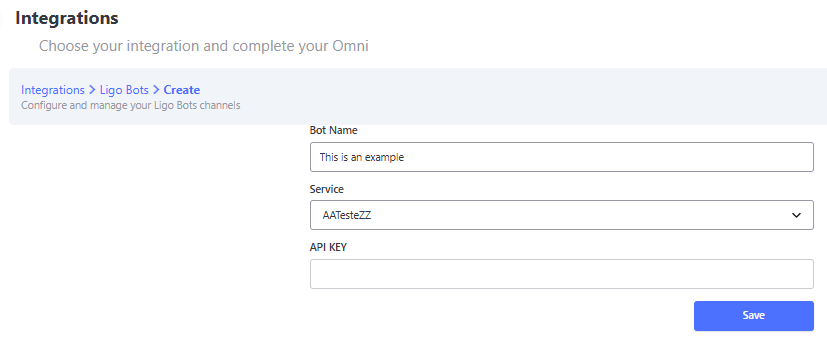
- Fill in the fields:
- Bot Name: Name that will appear on the bottery screen, specifically in the Human Attendance block when selecting the destination service.
- Service: Omni service to which the attendances from the bottery will be distributed.
Using the API Key
After registering the Ligo Bot:
- Click the "Copy API KEY" button.
- Use this API Key in the human attendance menu of your bot in the Portal da boteria
- The bottery will be connected and ready to distribute attendances to the configured service.